Notion Life Planner Template: One Calm Home Page for Your Day, Goals, Habits and Money
A Notion life planner for anyone whose dashboard got too busy to use.
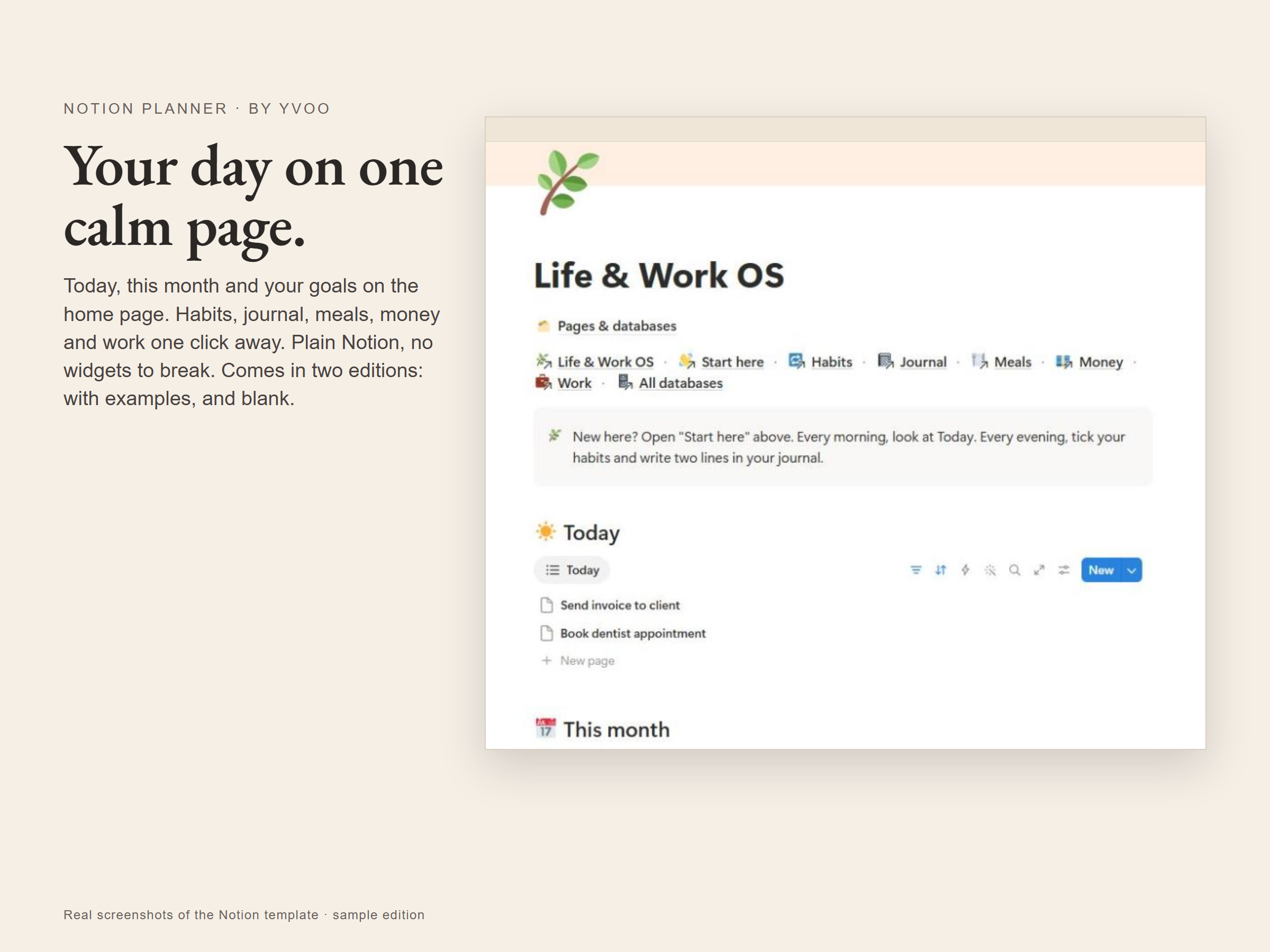
Your day, your month and your goals on one home page, the rest one click away. Plain Notion pages and databases: no widgets or embeds that can stop working. Two editions, one with examples and one blank, so there is nothing to clear out first.
What is inside
- Home: Today (tasks due today or earlier that are still open), a month calendar of every dated task, and your goals as cards.
- Goals: link tasks to a goal; its progress is the share of those tasks you have ticked. Target date and status on each card.
- Habits: one row a day, five habits to tick, a score for the day. Rename the habits to your own.
- Journal: date, mood, win of the day, grateful for.
- Meals: a board by breakfast, lunch, dinner and snack, and a week calendar.
- Money: income, expenses and savings grouped by type, each line with a category and its month.
- Work: projects with status, deadline and next step.
- Start here: a page inside the template with five steps to make it yours.
What you get
- Life-Work-OS-Links.pdf: one page with the two links and how to copy them.
- Sample edition: every page filled with examples.
- Blank edition: the same pages, empty.
How it works
Open a link from the PDF in a browser on a computer (Chrome or Edge recommended), sign in to Notion, press Duplicate and pick your workspace. The copy is yours to edit.
Good to know
- Digital download. Nothing is shipped.
- Notion is a separate service and needs an internet connection.
- For personal use. Please do not share or resell the links.
FAQ
Do I need a paid Notion plan?
No. A free Notion account is enough.
Will the widgets break later?
There are none. Everything is a standard Notion page or database.
Do I have to delete sample data first?
No. Take the blank edition and start clean.
Last updated: 2026-10-30